











L-02Help centre · 12 guides
Hardware store POS help: set-up guides for every step
Short, numbered guides that follow the order you set up a store: create the business, add locations, import the catalogue, then trade accounts, quotes, labels, hardware and the online store.

 Getting started · 3 minCreate your business accountSign up and create your hardware store business: name, currency, tax, financial year and language.
 Getting started · 5 minAdd your store, yard and registersSet up business locations (store, yard, branches), receipt printers, cash registers and invoice layouts.
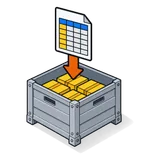 Catalogue · 30 minImport products from Excel or CSVBring your whole item file in: download the template, map columns, import in batches and fix row errors.
 Catalogue · 10 minSet up units and sub-units (box, piece, foot)Create base units and pack units so one item sells by the box, the piece, the metre or the foot.
 Catalogue · 15 minTurn on rack, row and positionSwitch on bin locations, choose a naming scheme and assign locations to items.
 Trade counter · 10 minSet up contractor accounts with credit and termsCreate trade customers with credit limits, pay terms, price groups and opening balances.
 Trade counter · 5 minCreate a quotation and convert it to a salePrice a materials list, send it as a PDF and convert it when the customer accepts.
 Catalogue · 5 minPrint barcode and shelf labelsDefine a label size, add products or a whole purchase, choose fields and print.
 Hardware · 15 minConnect a receipt printer, scanner and cash drawerGet your existing receipt printer, barcode scanner and cash drawer working with the browser till.
 Online store · 10 minSwitch on your online storePublish the store generated from your catalogue, choose pickup or delivery and connect a domain.
 Getting started · 10 minAdd staff with roles and permissionsCreate cashier, counter manager, buyer and owner roles and limit what each can see.
 Back office · 30 minCount stock and post adjustmentsRun a stock count by rack, record differences as stock adjustments with reasons.
No guide matches that. Try the site search or ask us.
Q&ASheet set · FAQ
Help centre questions
- Where do I start?
- Start with create your business, then add your location and import products.
- Is there phone support?
- Support runs by email, WhatsApp (once each market's line opens) and the contact form, replying within one business day.
- Can I get help importing my item file?
- Yes. On Yard and Branches we map your import with you for free.
- Are these guides in Arabic or Urdu?
- Not yet; the help centre is in English. Ask support in Arabic, Urdu or Spanish and we will answer.
- I found a mistake in a guide.
- Tell us through the contact form; we update the guide and its date.
- Do the screens in the guides match mine?
- The steps follow the current software; exact layouts can differ slightly by version.
Stuck on a step?
Book a short call and we'll do it with you on screen, with your own data.
21-day free trial · no card to start · no contract