

















C-08Hardware guide · works-with list
Hardware store POS hardware: what works with it
Hardware Store POS runs in a browser, so it works with standard retail devices: an 80 mm thermal receipt printer, a USB or Bluetooth barcode scanner, a label printer, a cash drawer on the printer, and your processor's card terminal. We don't sell hardware; reuse what you have.
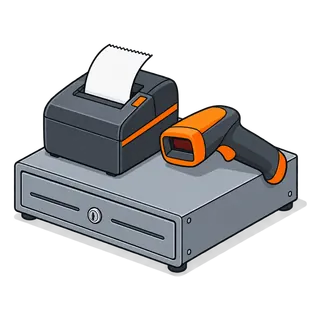
The counter kit, part by part
- 1

Computer or tablet
Any current Windows PC, Mac, Chromebook, Android tablet or iPad with a modern browser.
A PC at the main till is easiest for printing and scanning.
Typical makesAny
- 2

Receipt printer
80 mm thermal receipt printer (USB or network); prints through the browser or a print helper.
Network printers suit tablets.
Typical makesEpson TM series, Star TSP series, Xprinter and similar
- 3
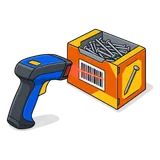
Barcode scanner
USB or Bluetooth scanner in keyboard mode; 2D scanners also read phone screens.
Choose a corded scanner with a long cable for a yard counter.
Typical makesZebra, Honeywell, Datalogic and similar
- 4

Label printer
Thermal label printer for shelf labels, or an A4 printer with sticker sheets.
Thermal-transfer for outdoor yard labels.
Typical makesZebra, TSC, Brother and similar
- 5

Cash drawer
Standard cash drawer connected to the receipt printer (RJ11/RJ12); opens on cash sales.
Typical makesAny printer-driven drawer
- 6

Card terminal
Your processor's or bank's terminal. The POS records the card payment; the terminal takes it.
Keep your existing merchant agreement.
Typical makesFrom your processor
- 7

Scale (optional)
For nails or bulk items sold by weight; enter weight or use a label scale.
Ask on a demo about scale barcodes.
Typical makesRetail label scales
Brand names are examples of common devices, not endorsements or partnerships. Test your own devices during the trial.
Three typical set-ups
- Single counter
- PC + receipt printer + cash drawer + USB scanner + processor's terminal.
- Counter + pro desk
- Two PCs, a shared network receipt printer, a label printer in the back office.
- Yard gate
- Tablet + Bluetooth scanner + network printer in a weatherproof box.
Before you buy anything
- Start the trial on the computer you have.
- Plug in your existing printer and scanner.
- Print a label and a receipt.
- Only replace what doesn't work.
Q&ASheet set · FAQ
Hardware questions
- Do you sell POS hardware?
- No. Buy from your usual supplier or reseller. This guide lists the kinds of devices that work so you can reuse what you have.
- Can I use my existing receipt printer?
- Most likely, if it is an 80 mm thermal printer your computer can print to. Test it during the trial.
- Will my barcode scanner work?
- Yes, if it works as a keyboard (it types the code and presses Enter). Almost all USB and Bluetooth retail scanners do.
- Which card terminal should I use?
- The one from your processor or bank. In the UAE and Pakistan that is usually your acquiring bank's terminal. The POS records the payment method and amount.
- Can I run the till on an iPad or Android tablet?
- Yes, in the browser. For receipts, use a network printer; for scanning, a Bluetooth scanner.
- What internet connection do I need?
- A normal broadband connection. Add a mobile hotspot as a backup for outages.
- Do label printers need special software?
- No. Labels print from the browser to any printer your computer has installed, using the label size you define.
- Can I use a scale?
- Weight can be typed at the till for items sold by kg or lb. Integrated scale setups vary; ask on a demo with your scale model.
Test your own printer and scanner today
The trial runs on the hardware you already own. Plug it in, print a label, scan an item.
21-day free trial · no card to start · no contract