



















F-04Detail B · scale 2 : 1
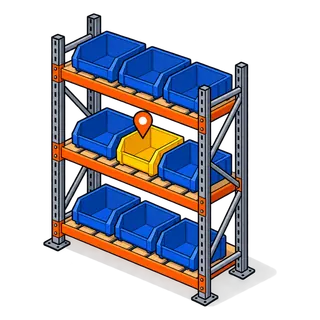
Bin location inventory: rack, row and position on every item
Bin location inventory records exactly where each item sits. Hardware Store POS stores a rack, a row and a position for every product in each location, shows it at the till and in search, and can print it on shelf labels, so anyone can walk to the right bin.
BOMParts list · the settings involved
What you can set for rack · row · position
| No. | Setting | What it does at the counter |
|---|---|---|
| F-04.01 | Enable racks / rows / positions | Three separate switches, so you can use just racks, or all three levels. |
| F-04.02 | Per location | Each item can sit in a different bin in the store and in the yard. |
| F-04.03 | Shown on product search | The bin code appears where staff look items up. |
| F-04.04 | On labels | Include the location on printed shelf labels. |
| F-04.05 | In the import template | Rack, row and position columns load with the item file. |
T-01Test rig
Test rig: find a bin
Click a bin on the rack elevation to see the location code the POS would show, or type a code to light up the bin.
Rack R4 elevation — click a bin
Simulation for illustration; the live software screens differ in layout.
!The problem
What "it's somewhere in aisle 4" costs a hardware store
- 1Only long-serving staff know where things are; every new hire walks the store asking.
- 2Customers wait at the counter while someone searches for a fitting.
- 3Items with the wrong bin get counted as missing and re-ordered.
- 4The yard and the store hold the same item in different places.
4 stepsSet-up sequence
How rack · row · position is set up

Switch on racks
Enable rack, row and position in the business settings.

Name your racks
Use a scheme staff can read off the shelving: R1–R40, rows A–F, positions 1–30.
Assign by import
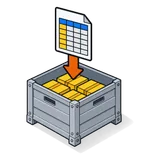
Fill rack, row and position in the import sheet per location, or edit items as you walk the aisles.

Label the shelf
Print shelf labels that carry the bin code next to the price and barcode.
⚠Field notes
Getting bin codes to stick
Match the physical shelving
Paint or tag rack numbers on the uprights so the code on screen is visible in the aisle.
Do one aisle at a time
Assign and label an aisle completely before moving on, then spot-check it.
Keep overflow separate
If an item has a pick bin and an overstock bin, record the pick bin and note the overflow.
Update on re-merchandising
When you move a bay, bulk-update the rack codes with an import rather than by hand.
Parts that fit with this one
Q&ASheet set · FAQ
Rack · row · position: questions owners ask
- What is a bin location in a hardware store?
- It is the exact place an item lives, written as a code such as rack 4, row C, position 12. It lets anyone go straight to the item instead of searching the aisle.
- Can I use only racks, without rows and positions?
- Yes. Racks, rows and positions are separate switches; many smaller stores use rack and row only.
- Can the same item have different bins in the store and the yard?
- Yes. Rack, row and position are stored per location, so each branch or yard keeps its own layout.
- Do bin codes show at the till?
- Yes. They appear in the product details where staff search, so the counter can tell a customer or runner where to go.
- Can I print the bin on shelf labels?
- Yes. Labels can carry the location alongside the name, price and barcode. See barcode and shelf labels.
- How do I assign bins to thousands of items?
- Add rack, row and position columns to your import sheet and import them. Walking aisles with a tablet and editing items also works for small corrections.
- Does it help with stock counts?
- Yes. Sorting a stock list by rack and row gives counters a walking order through the store.
- Can I use my own code format?
- Yes. Racks, rows and positions are free text, so you can match whatever is painted on your shelving.
See rack · row · position with your own items
Send a few rows of your item file and we set this feature up for your store on a live demo. Or start the trial and try it straight away.
21-day free trial · no card to start · no contract