



















F-03Section A–A
POS units of measure: one item, sold by the box, the piece or the foot
Units of measure let one item be sold in different quantities. You set a base unit, such as a piece or a metre, and sub-units that are multiples of it, such as a box of 100 or a 50 m coil. The till lets staff pick the unit, prices each one, and keeps stock in the base unit.
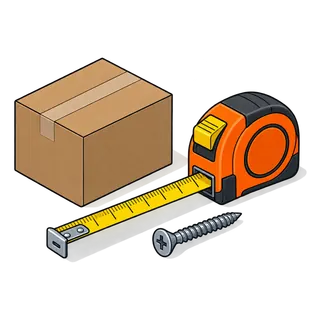
!The problem
Why "one SKU per pack size" falls apart
- 1Creating "Screw – box" and "Screw – single" as two items splits the stock, so neither count is ever right.
- 2Pipe, wire, chain and rope are bought by the coil and sold by the length.
- 3Imported fittings may be sold in inches in one aisle and metric in another.
- 4Customers ask for "half a box" or "three metres"; staff need the till to do the maths.
4 stepsSet-up sequence
How units of measure is set up

Turn on sub-units
Enable sub-units in the product settings so items can carry more than one unit.

Create base units
Create the units you count in: piece, metre, foot, kg, litre, sheet.
Build pack units
Add units as multiples of a base: Box = 100 pieces, Coil = 50 metres, Bundle = 10 lengths.

Sell in any unit
At the till, choose the unit on the line; quantity, price and stock all follow.
T-01Test rig
Test rig: the unit converter at the till
Pick an item and a unit and see the quantity that leaves stock and the price on the ticket.
Sale line
Simulation for illustration; the live software screens differ in layout.
⚠Field notes
Unit set-up tips from the counter
Count in the smallest unit you sell
If you ever sell single screws, the base unit is the piece, not the box.
Name packs with their size
"Box 100" and "Box 200" are clearer than two units called "Box".
Price each unit deliberately
A box often sells cheaper per piece than singles; set both prices, don't let staff work it out.
Check the first stock count
After import, count one family by box and by piece to prove the multipliers are right.
BOMParts list · the settings involved
What you can set for units of measure
| No. | Setting | What it does at the counter |
|---|---|---|
| F-03.01 | Base unit | The unit stock is kept in, e.g. piece or metre. |
| F-03.02 | Multiple of another unit | Defines a pack unit as N × base unit, e.g. Box = 100 × piece. |
| F-03.03 | Sub-units on the item | Which pack units an item may be sold or bought in. |
| F-03.04 | Decimal quantities | Allow 2.5 m or 0.75 kg where the unit allows decimals. |
| F-03.05 | Purchase unit | Buy in cartons or coils from the supplier, sell in pieces or metres. |
| F-03.06 | Labels per unit | Print a shelf label for the box and another for the single item. |
Parts that fit with this one
Q&ASheet set · FAQ
Units of measure: questions owners ask
- Can I sell the same item by the box and by the piece?
- Yes. Make the piece the base unit and add a sub-unit such as "Box = 100 pieces". The cashier picks the unit on the sale line and stock goes down in pieces.
- Can I sell pipe or wire by the foot or metre from a coil?
- Yes. Use the metre or foot as the base unit and a coil as a multiple (e.g. 50 m). You can buy coils from the supplier and sell lengths at the counter.
- Does it allow decimal quantities like 2.5 metres?
- Yes, where you allow decimals on the unit. Quantities such as 2.5 m or 0.75 kg are priced and deducted correctly.
- Can a box have a different price per piece than singles?
- Yes. Each unit on the item can carry its own selling price, so the box can be cheaper per piece than buying singles.
- What about selling by weight, like nails by the pound or kilo?
- Use kg or lb as the unit and allow decimals; a connected scale or manual weight entry gives the quantity.
- Can I buy in one unit and sell in another?
- Yes. Purchase orders can use the pack unit (carton, coil) while sales use the base or a smaller pack.
- Will stock reports show boxes or pieces?
- Stock is held in the base unit, so reports show pieces or metres. That keeps one true count no matter how the item is sold.
- Do I need a separate barcode for the box?
- It helps. Give the box its own barcode label so a scan picks the right unit, and keep the manufacturer barcode on singles.
See units of measure with your own items
Send a few rows of your item file and we set this feature up for your store on a live demo. Or start the trial and try it straight away.
21-day free trial · no card to start · no contract