


















F-06Callout sheet
Shelf label printing with barcodes, prices and bin codes
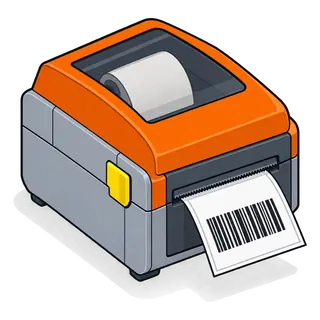
Shelf label printing turns your catalogue into scannable labels. Hardware Store POS prints labels with the product name, price, barcode and, if you like, the rack location, on A4 sticker sheets or thermal label rolls, for one item or for every item on a purchase.
T-01Test rig
Test rig: design a shelf label
Toggle what goes on the label and see the preview update, the same choices the label screen offers.
Preview (50 × 30 mm)
Simulation for illustration; the live software screens differ in layout.
!The problem
Why labels matter more in hardware than anywhere
- 1Thousands of small items with no manufacturer barcode: fasteners, fittings, cut goods.
- 2Price changes from suppliers mean hundreds of labels to redo at once.
- 3Customers pick from bins; a clear shelf label is the price sign.
- 4Staff find bins faster when the location is on the label.
BOMParts list · the settings involved
What you can set for barcode & shelf labels
| No. | Setting | What it does at the counter |
|---|---|---|
| F-06.01 | Barcode settings | Saved label templates for sheets and continuous rolls. |
| F-06.02 | Barcode types | C128, C39, EAN-13, EAN-8, UPC-A, UPC-E. |
| F-06.03 | Fields | Product name, variation, price, business name, packing date and more. |
| F-06.04 | From a purchase | Label every line received on a purchase in one go. |
| F-06.05 | Quantity per item | Print one, or one per unit received. |
4 stepsSet-up sequence
How barcode & shelf labels is set up

Choose a label size
Pick or define a barcode setting: sheet size, labels per row, label width and height.

Add products
Add items by search, or load every item from a purchase so new stock is labelled on arrival.

Pick the fields
Name, price (with or without tax), barcode, business name, variation and more.

Print
Print to the sheet printer or the thermal label printer from the browser.
⚠Field notes
Label tips
Test one sheet first
Printer margins vary; print one test sheet before a full run.
Use Code 128 for your own SKUs
It handles letters and numbers and scans well on small labels.
Reprint after price imports
After a price update, print labels for the changed items the same day.
Mind thermal fade
Direct-thermal labels fade in sunlight; use thermal-transfer for yard and outdoor stock.
Parts that fit with this one
Q&ASheet set · FAQ
Barcode & shelf labels: questions owners ask
- Which label printers work?
- Any printer your computer can print to: A4 laser or inkjet with sticker sheets, or a thermal label printer with the right roll size. See the hardware guide.
- Can I print labels for items without a manufacturer barcode?
- Yes. Each item gets a barcode from its SKU (or your own code), so loose fasteners and cut goods can be scanned too.
- Which barcode types are supported?
- Code 128, Code 39, EAN-13, EAN-8, UPC-A and UPC-E.
- Can I print labels for a whole delivery?
- Yes. Load a purchase into the label screen and every received line is added with its quantity.
- Can the label show the price with tax?
- Yes. Choose the price with or without tax, depending on your market (UAE labels usually show VAT-inclusive prices).
- Can labels be in Arabic or Urdu?
- Labels print the product name as you entered it, so names entered in Arabic or Urdu print in that script.
- Can I make my own label size?
- Yes. Define a barcode setting with your sheet or roll dimensions and labels per row.
- Can the rack location go on the label?
- Many stores add the bin code into a product field shown on the label; ask on your demo and we will set it up for your layout.
See barcode & shelf labels with your own items
Send a few rows of your item file and we set this feature up for your store on a live demo. Or start the trial and try it straight away.
21-day free trial · no card to start · no contract