




















F-01Part drawing · Hardware Store POS
Hardware inventory bulk import for item files with tens of thousands of SKUs
Hardware inventory bulk import means loading your whole item file in one pass from a CSV or Excel sheet: SKU, barcode, name, brand, category, unit, rack/row/position, purchase and selling price, tax and opening stock. Hardware Store POS has no SKU limit, and you can re-import to update prices.
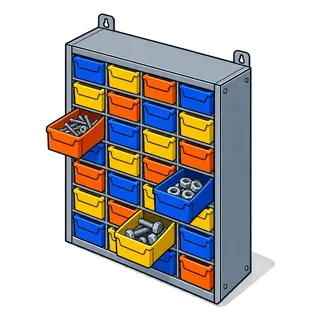
!The problem
Why big catalogues break ordinary POS setups
- 1Typing items one at a time is impossible past a few hundred SKUs; a hardware store carries tens of thousands.
- 2Supplier price lists change several times a year, so the catalogue has to be updated in bulk, not by hand.
- 3Fasteners, fittings and wire come in families of near-identical items; names alone are not enough to find them.
- 4Opening stock has to land in the right location (store vs yard) on day one or every count after it is wrong.
T-01Test rig
Test rig: drop a few rows of an item file
Paste or edit the sample rows. The rig checks each row the way the importer does and shows what will be created.
Importer result
Simulation for illustration; the live software screens differ in layout.
4 stepsSet-up sequence
How sku catalogue + bulk import is set up
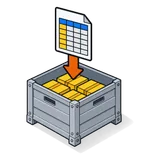
Download the template
Get the import template with every column the software reads, in the order it expects.

Map your export
Paste your old system's export into the template: SKU, barcode, name, brand, category, unit, prices, tax, rack/row/position.

Import in batches
Upload a few thousand rows at a time. Errors are reported by row number so you fix the sheet, not the database.

Re-import to update
When a supplier changes prices, update the cost and price columns and import again to refresh existing items.
BOMParts list · the settings involved
What you can set for sku catalogue + bulk import
| No. | Setting | What it does at the counter |
|---|---|---|
| F-01.01 | SKU | Your own code or the supplier's. Leave it blank and one is generated from the prefix you set. |
| F-01.02 | Barcode type | C128, C39, EAN-13, EAN-8, UPC-A or UPC-E, so scanned labels and manufacturer barcodes both work. |
| F-01.03 | Unit / sub-unit | Base unit (piece, metre, foot, kg) and the pack units built on it. |
| F-01.04 | Rack · row · position | Where the item lives in each location; shown at the till and on labels. |
| F-01.05 | Manage stock / alert quantity | Track stock per location and flag items when they fall below the reorder point. |
| F-01.06 | Purchase / selling price + tax | Cost, margin and price, with the tax group for each item (inclusive or exclusive). |
| F-01.07 | Opening stock | Quantity per location, imported separately so store and yard each start right. |
| F-01.08 | Variations | One parent item with sizes, lengths or finishes as variations, each with its own SKU and price. |
⚠Field notes
What usually goes wrong in an import (and how to avoid it)
Duplicate SKUs
Two rows with the same SKU will collide. Sort the sheet by SKU and remove duplicates before uploading.
Units not created first
Create "Box (100 pcs)" and other units before you import items that use them, or the row fails.
Leading zeros lost
Excel turns 00123 into 123. Format the SKU and barcode columns as Text before pasting.
Mixed decimal commas
Use one number format for prices across the file, matching your business settings.
Parts that fit with this one
Q&ASheet set · FAQ
SKU catalogue + bulk import: questions owners ask
- Is there a limit on how many SKUs I can import?
- No. Every plan has unlimited SKUs. For very large files, import in batches of a few thousand rows so any errors are easy to find and fix.
- What file format does the importer take?
- CSV or Excel (.xls / .xlsx) using the downloadable template. You can paste an export from almost any old POS or accounting system into it.
- Can I import rack, row and position with the products?
- Yes. The template has rack, row and position columns, so bin locations arrive with the item file instead of being typed later.
- How do I update prices for thousands of items at once?
- Export or keep your item sheet, change the cost and selling price columns, and import again. Existing items are matched by SKU and updated.
- Can I import customers and suppliers too?
- Yes. Contacts have their own import, including customer credit limits, pay terms and opening balances, and suppliers with their pay terms.
- How do I import opening stock for my store and my yard separately?
- Use the opening stock import with a location column. Each row puts a quantity into one location, so the store and the yard start with their own counts.
- What if my old system exports item families with sizes in one row?
- Split them into variation rows: one parent item and a row per size, length or finish with its own SKU, barcode and price.
- Do you do the import for me?
- On the Yard and Branches plans we map your export with you for free. On Counter it is a paid one-off service, or you can do it yourself with the template.
- Will product photos come across?
- Images are added per product (or via an image URL column where supported). Items without photos still show in the online store with a placeholder.
See sku catalogue + bulk import with your own items
Send a few rows of your item file and we set this feature up for your store on a live demo. Or start the trial and try it straight away.
21-day free trial · no card to start · no contract